Getting free Robux with Microsoft Rewards is possible by trading your earned points for official Roblox digital gift cards. The catch is that those cards only show up in the Rewards catalog when Microsoft has them in stock, and the offers can disappear or change at any time. This 2026 guide covers the full process, from signing up and collecting points to redeeming the final code on Roblox, while spelling out the real limits so you know what works and what does not.
Understanding Microsoft Rewards
Microsoft Rewards is a free points program tied to everyday Microsoft tools. You collect points by searching on Bing, surfing the web in Edge, finishing daily quizzes and challenges, keeping activity streaks alive, and grabbing special offers or making eligible buys in the Microsoft Store and on Xbox. Those points can later be swapped for gift cards, sweepstakes entries, charity donations, and, when they appear, Roblox digital cards that deliver Robux.
Anyone with a regular Microsoft account can join. After enrollment the dashboard displays your current points, the day’s tasks, and the rewards currently open for redemption.
Is Free Robux With Microsoft Rewards Actually Possible?
Yes, free Robux with Microsoft Rewards works when the right cards are listed. Microsoft occasionally stocks Roblox digital gift cards in the catalog, and you spend points on them instead of cash. The cards are not permanent fixtures. Stock is limited, prices shift, and availability often depends on your country or region. Player forums and support notes show that Robux rewards rank among the most requested items, so they sell out fast and sometimes get pulled until restocked.
Treat the method as a solid opportunity that appears from time to time rather than a permanent free supply. Microsoft and Roblox decide what stays in the catalog, and they can remove or reprice items without warning. Always look at your personal Redeem page before counting on any specific card.
Which Roblox Digital Cards Appear in Microsoft Rewards
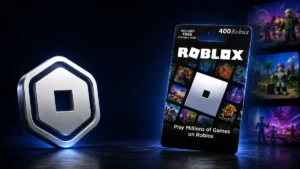
When the offers are active you will typically see digital cards for different Robux totals. Past listings have included cards for 100 Robux, 800 Robux, and 1,000 Robux. Exact amounts and the points required can change whenever Microsoft updates the catalog.
Earlier examples showed roughly 1,500 points for 100 Robux and about 16,250 points for 1,000 Robux. Those figures are only snapshots. Your own account may list different costs at any moment.
A quick look at past approximate values helps set expectations, but treat every number as temporary:
Around 1,500 points once bought 100 Robux.
Around 3,000 points once bought 200 Robux.
Around 6,750 points once bought 400 Robux.
Around 13,000 points once bought 800 Robux.
Around 16,250 points once bought 1,000 Robux.
Open your own Redeem page every time. Never rely on any published table as current truth.
Signing Up for Microsoft Rewards
You need a Microsoft account and an active Rewards profile before any points start adding up. Visit the official Microsoft Rewards site, sign in with the account you already use for Xbox or Windows, accept the terms, and confirm your region. Your dashboard then appears with the point balance, daily tasks, and reward options.
Installing the free Microsoft Rewards extension for Edge is optional but handy. It displays your running total and new earning chances right in the browser toolbar.
Fastest Ways to Build Microsoft Rewards Points
Reaching the totals needed for Roblox cards usually takes steady daily effort rather than one big push. Focus on the highest-yield free activities.
Daily Sets and Streak Bonuses
Each day the program offers a Daily Set of short quizzes, polls, and click tasks. Finishing the set awards base points. Completing it several days in a row triggers streak bonuses that grow larger the longer the chain lasts. Making the Daily Set a quick daily routine is one of the most reliable ways to climb toward higher Robux cards without spending money.
Everyday Bing Searches and Edge Browsing
Searching with Bing and browsing in Edge earns points up to a daily limit. Switching your default search engine to Bing and using Edge for regular web use turns ordinary online habits into passive point gains.
Punch Cards, Limited Offers, and Store Purchases
The Earn section of the dashboard often lists punch-card challenges, short-term promotions linked to games or apps, and bonus points for eligible Microsoft Store or Xbox purchases. Checking that tab weekly and clearing the available offers can add thousands of extra points over a few months. Players who stick with daily sets, Bing searches, and these extra tasks for several months have reported reaching the point levels needed for larger Roblox cards when those cards were in stock.
Redeeming Points for a Roblox Digital Card
Once your balance is high enough and the cards are visible, the redemption steps are simple.
Open the Redeem Section
Sign in at the Microsoft Rewards site and click the Redeem or Use Points area. Type “Roblox” or “Roblox digital card” into the search bar to surface any current listings.
Select the Card You Want
Choose the Robux amount that matches your goal and confirm you have enough points. You can also mark the card as a goal inside the interface so the dashboard tracks your progress toward it.
Complete the Redemption
Click Redeem and follow the prompts. Afterward open your Order history to verify the transaction went through.
Collect the Code
Microsoft sends the digital gift-card PIN by email and also stores it in your Order history. If the code is missing, check spam folders and refresh the history page. Still nothing after a reasonable wait? Contact Microsoft Rewards support with the order number.
Turning the Code into Robux on Roblox
With the PIN in hand, visit roblox.com/redeem, sign in to your Roblox account, and enter the code exactly as written with no extra spaces. Click Redeem and wait for confirmation that the Robux or credit has been added. Roblox’s own help pages confirm this works for both digital and physical cards on any browser. Once the credit appears you can convert it to Robux through the normal purchase options.
When Roblox Cards Are Missing from the Catalog
It is common to open Microsoft Rewards and find no Roblox cards at all. That usually means the stock is gone or the offer has been paused for your region. Microsoft does not publish restock schedules.
Because Robux rewards are so popular they frequently sell out and vanish until Microsoft decides to bring them back. Keep checking the Redeem page for any “Back soon” notices. While you wait, you can spend points on other available rewards such as Microsoft gift cards, sweepstakes, or donations so the balance does not sit idle. No outside trick can force the Roblox cards to reappear.
Handling Common Problems
No Code After Redeeming
If you claim a card but never receive a PIN, first confirm the order appears in your Rewards history. Double-check the email address on your Microsoft account and search spam folders. When the code is still missing, reach out to Microsoft Rewards support with the order details and any screenshots.
Cards Suddenly Removed
Players who saved points for months sometimes discover the Roblox options have disappeared. Microsoft and Roblox treat these as limited special rewards rather than permanent catalog items. Low stock or policy changes can mark amounts “Back soon” or pull them completely. The practical response is to keep monitoring the page and use points on other rewards in the meantime.
Staying Safe from Fake Free Robux Scams
Search results for free Robux are full of risky shortcuts. Stick exclusively to the official Microsoft Rewards site and Roblox’s own redeem pages. Skip generators, shady extensions, and any site that asks for your Roblox password or personal details. Survey apps and third-party promises that claim to deliver Robux without Microsoft or Roblox affiliation rarely work and can put accounts at risk. Using only the verified Microsoft Rewards path keeps everything safe.
Frequently Asked Questions
Why are there no Roblox gift cards in my Microsoft Rewards account?
The cards are limited-stock items. They may be sold out or simply not offered in your region right now. There is no set restock date, so regular checks of the Redeem page are the only way to catch them when they return.
How long does it take to gather enough points for a Roblox card?
The timeline depends on how consistently you complete daily sets, Bing searches, and extra offers. Many people who rely only on free activities need several months of steady effort to reach the totals for larger Robux amounts.
Final Thoughts
Free Robux with Microsoft Rewards is a real option whenever the official digital cards appear in the catalog. Earn points through ordinary Microsoft habits, redeem them for Roblox codes while stock lasts, then add those codes on Roblox’s redeem page. Availability fluctuates and higher amounts take time, but the process itself is straightforward and safe when you stay inside official channels. Check your Redeem page often, stay patient during restocks, and you can turn everyday Microsoft activity into genuine free Robux without spending cash.